
Support Centre · Guided tour · Step 14 of 14
14. Billing, plans and help
3 min
By the end of this step
You know what you are on, what it costs, and where every answer lives.
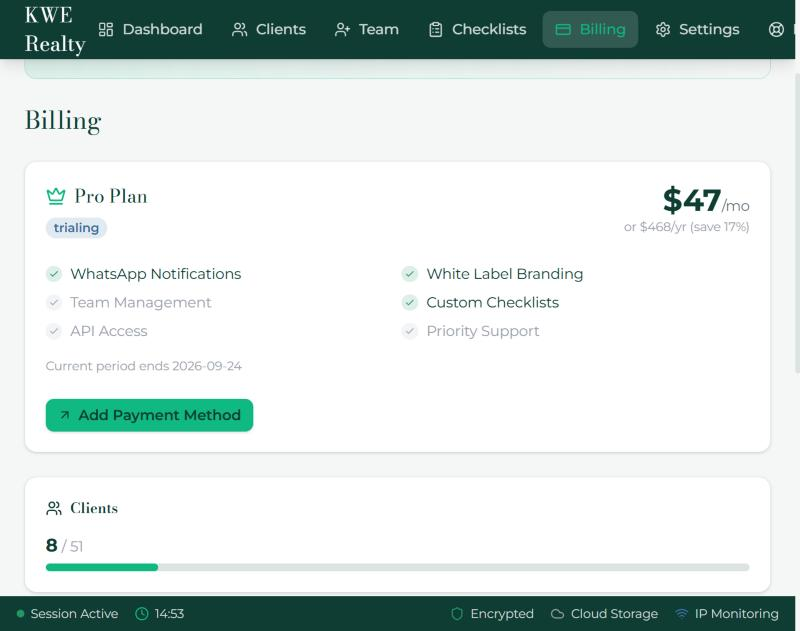
- Billing in the top bar shows your plan, the trial if you are on it, and your usage: clients, team members and storage. Choose a plan here; payment goes through Stripe. Manage Billing opens your card, invoices and cancellation.
- Rather pay per renter? Foyer Go has no monthly fee: CAD 14 a renter with Starter’s features, CAD 19 with Pro’s, charged to your saved card when you send that renter’s first package. Billing shows the card and every charge.
- Renters never pay. Branding, cloud sync, the letter, the showing route, Properties Seen and review requests come with Pro and above; the plans article has the current prices.
Help
- The Support Centre has a page for every subject in this guided tour, in both languages, and a search box.
- This guided tour lives at getfoyernow.com/support/tour. Send a new team member the link on their first day.
- A person reads support@getfoyernow.com. Say which client and which screen, and we can look together, with your permission from step 13.
- The Foyer app for iPhone and Android is the same product with a notice on your phone; the sign-in page shows the store buttons once the stores list it. Your clients get the same app.
Still stuck? Write to support@getfoyernow.com