
Support Centre · Guided tour · Step 4 of 10
4. The Sweetheart Letter
4 min
By the end of this step
You can give your agent what they need to write a letter that sounds like you.
When several people want the same place, the landlord often picks the ones they feel they know. The Letter tab collects what your agent needs to write a short letter about you, in your words, that goes with the offer.
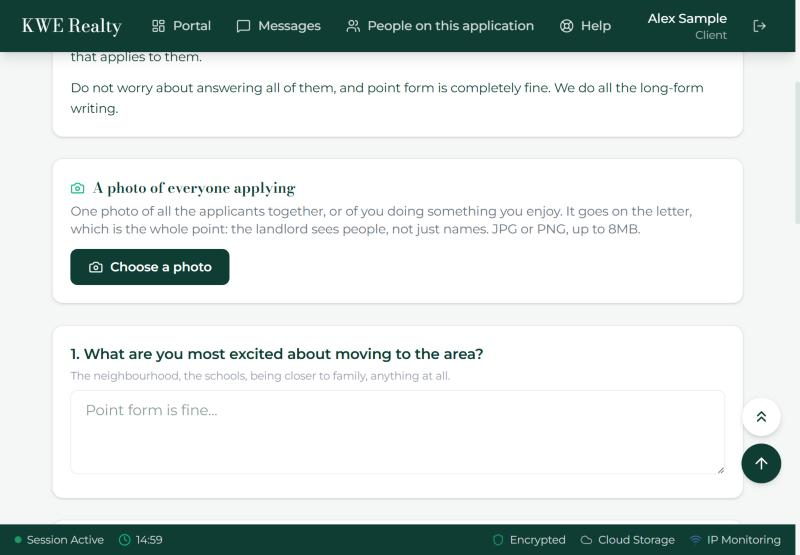
- Start with the photo: one picture of everyone applying, or of you doing something you enjoy. JPG or PNG, up to 8 MB. Press Choose a photo.
- Then the seven questions: what excites you about the area, who is moving with you, your work and what motivates you in it, community activities, a recent life event behind the move, your interests, and what you are looking for in a home.
- Point form is fine. Answer the ones that apply to you and skip the rest. Everything saves as you type; the line under the title counts your answers.
- Rather not type? Under each box is Dictate your answer. Press it, say your answer, and the words are added to the end of the box, where you can fix them. Nothing is recorded; only the words are kept. It works in the app and in most browsers; a browser that cannot listen shows the button greyed.
- When you are happy with them, press "These are ready". Your agent is told, and they do the long-form writing. You can still change an answer afterwards.
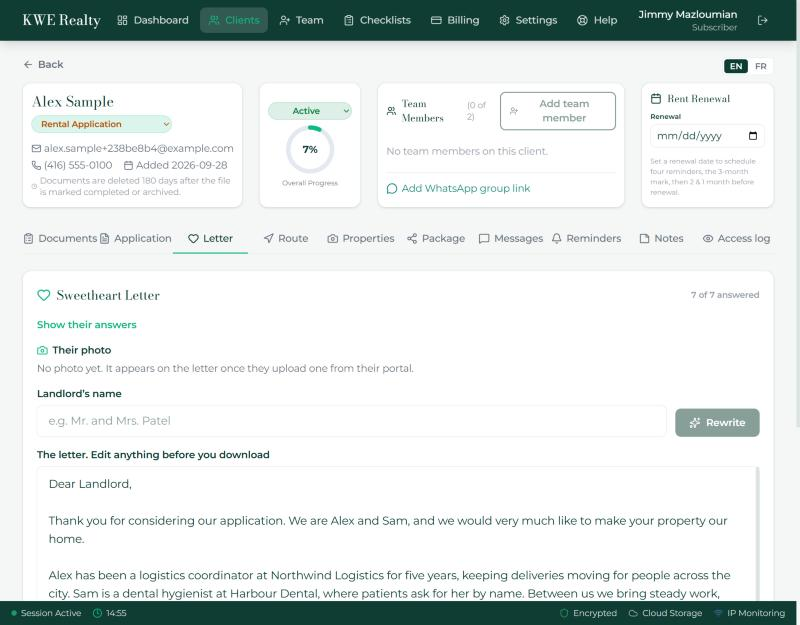
What your agent sees
Your agent sees your answers and your photo on the Sweetheart Letter tab of your file, writes the letter there, and it goes into the package for the landlord. They can add the photo for you if you hand it to them, and put in a letter you wrote yourself in place of the written one.
Still stuck? Write to support@getfoyernow.com