
Support Centre · Guided tour · Step 10 of 14
10. Sending the package to the leasing agent
6 min
By the end of this step
You can send the right package at the right moment and know the moment the other side has looked.
The Share Package tab hands the other side the file as one link that needs no account. There are five packages: four for four moments, and one for whatever the listing agent asks for after.
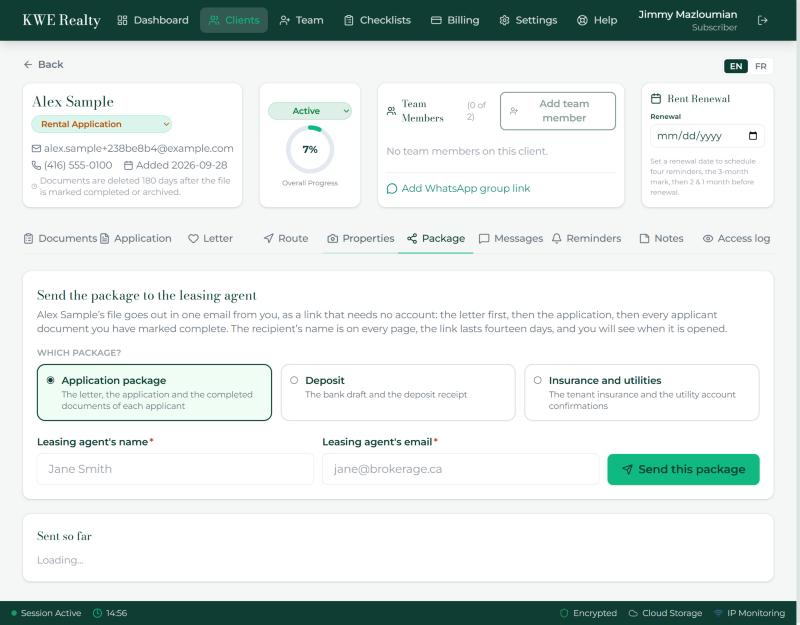
Which package
- Application package, when the offer goes in: the letter first, then the application, then every completed document of each applicant.
- Deposit, once the offer is accepted: the bank draft and the deposit receipt.
- Insurance and utilities, before the keys: the tenant insurance and the utility account confirmations.
- Problems found at move in, after the keys: the photos and notes from the Occupancy section, with the question of when they will be fixed. A box lets you add the offer that the renter takes care of them and invoices the landlord: Ask the tenant sends them the question by email and text, their own tick on their Occupancy card ticks the box for you and switches Ask the tenant off, or you tick it yourself when they told you so. The page the listing agent opens has a reply box and a Forward to the landlord button: the landlord gets a link of their own in the listing agent’s name, you are told by email and text, and the new link joins your list.
- Additional documents, whenever the listing agent asks for more: the window starts empty and you press Add on the completed documents they asked for. Only those go, and a document completed later never joins that link.
- Beside each is how many completed documents, or photos, it holds right now. A package with nothing in it cannot be sent.
Sending
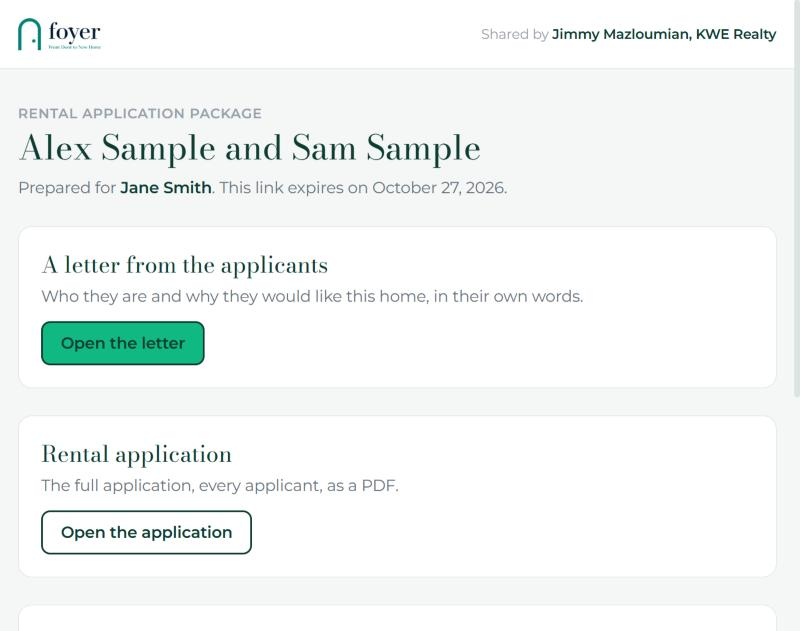
- Pick the package, type the leasing agent’s name and email, and press Send. They get an email from you, in your language, with a button; a reply reaches your inbox. The link is also on your clipboard. The name and email stay in the boxes, so the next package to the same person needs no typing. Send later holds the email until the time you choose, for an offer that goes in at nine the next morning.
- Before it goes, a window lists every file in the package, with whose it is. Press Remove on anything you do not want to send, or Put back if you change your mind, then press Send in the window. What you removed stays out of that link. Tick the box under the list to send the renter a short note, by email and text, that their file is being taken care of. It does not list the files.
- The link lives fourteen days, and only what belongs to that package opens from it.
Sent so far
- Each link shows which package it was, who it went to, when, and how many times it was opened. Open the count to see each open with its time and what was looked at.
- Copy the link again or Resend the email. A reply the listing agent writes on the move in page reaches you by email and text, and shows in this list as a reply.
Still stuck? Write to support@getfoyernow.com