
Support Centre · Guided tour · Step 9 of 14
9. Showing days and the places they saw
7 min
By the end of this step
You can put a day of showings on a renter’s phone in a minute, and see the photos and notes they kept.
The Showing Route tab puts the day’s viewings on the renter’s phone: the starting time, the addresses in order and directions from wherever they are. The two boxes at the top are the two doors in; a third way is under them.
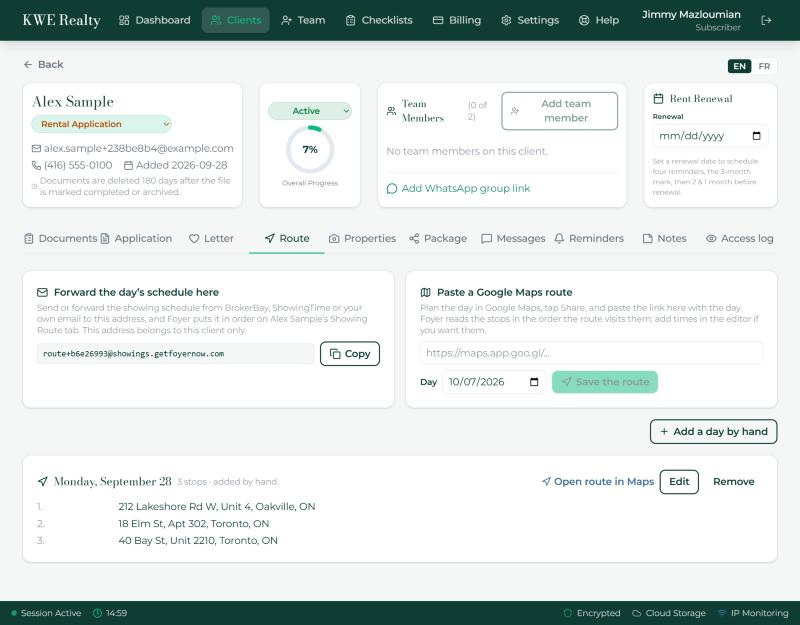
Forward the day’s schedule
- Every client has their own forwarding address, shown in the left box. Forward the schedule from BrokerBay, ShowingTime or your own email to it, and Foyer reads the stops and times into that day.
Paste a Google Maps route
- Plan the day in Google Maps, tap Share, and paste the link into the right box with the day and the starting time. Foyer reads the addresses in the order the route visits them and puts the starting time on the first stop.
Add a day by hand
- Under the boxes, Add a day opens an editor: the date and the starting time, the addresses in order, and a note for the whole day such as where to meet or parking. Saving replaces whatever was on that day.
- Each saved day lists its stops, with arrows to reorder, a bin to remove a stop, and Waze, Maps, Edit and Remove at the top. Maps opens the whole route; after Waze, each address is a tap that drives there.
What happens when you save
- The renter gets an email from you, by name, saying how many showings and on which day, with a button into Foyer, a text if they have texts on, and a notice on their phone if they have the app. Tick Send later in the editor to hold the email and the text until the day and time you choose, say the evening before. A day that changes is sent again, marked as updated. A day already past sends nothing.
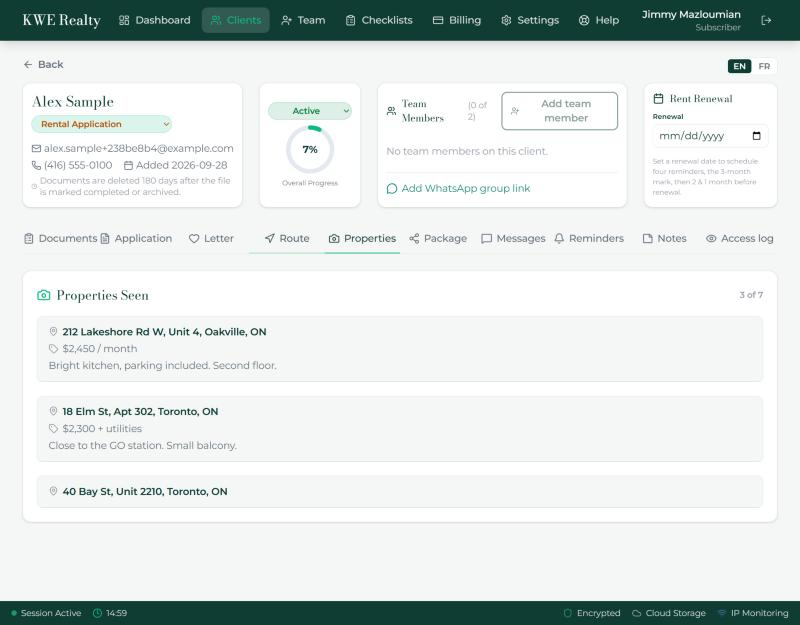
Properties Seen
- The Properties Seen tab shows the places the renter kept: the address, the asking price, their photos and their notes. The board fills itself from the showing route, one property per stop, so they only add what they saw.
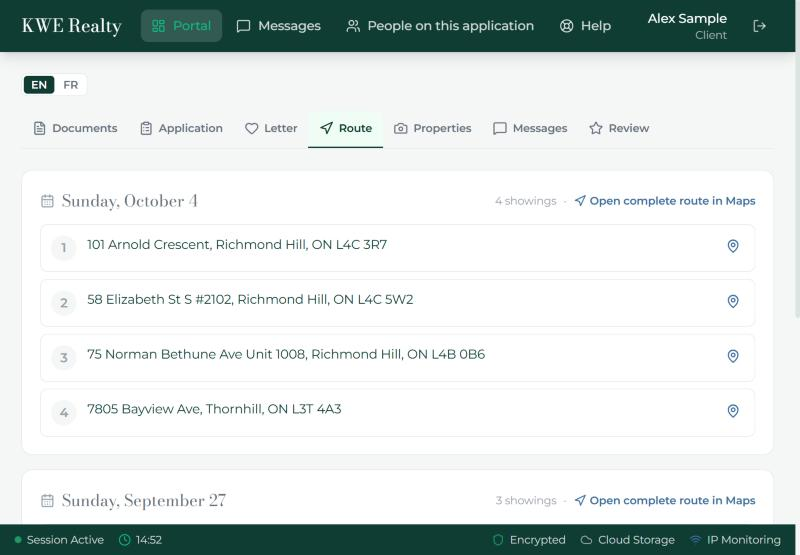
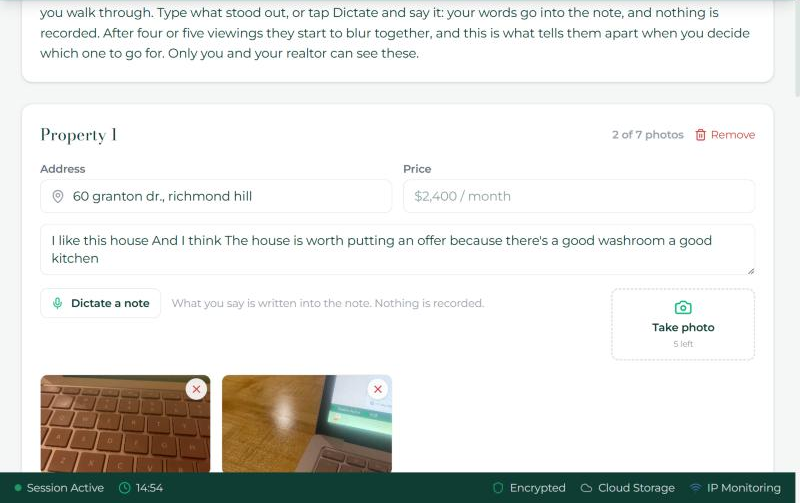
What the renter sees
Their Route tab shows each day as a box: the date, the number of showings, the Waze and Maps buttons, and the stops in order. Their Properties tab is a board with one card per place: the address already filled from the route, the price, a Take photo button, and a note they can type or dictate. Dictation writes their words into the note; nothing is recorded.
Still stuck? Write to support@getfoyernow.com